Simplify PeopleSoft Image Downloads
Aug 23, 2016Dan Iverson
getMOSPatch is a great utility for downloading patches from Oracle Support. The utility will log into Oracle Support for you and download patches you supply. All you need is the patch number, and your MOS credentials. And, version 2 of getMOSPatch is written in Java, so you can use it on any platform.
getMOSPatch
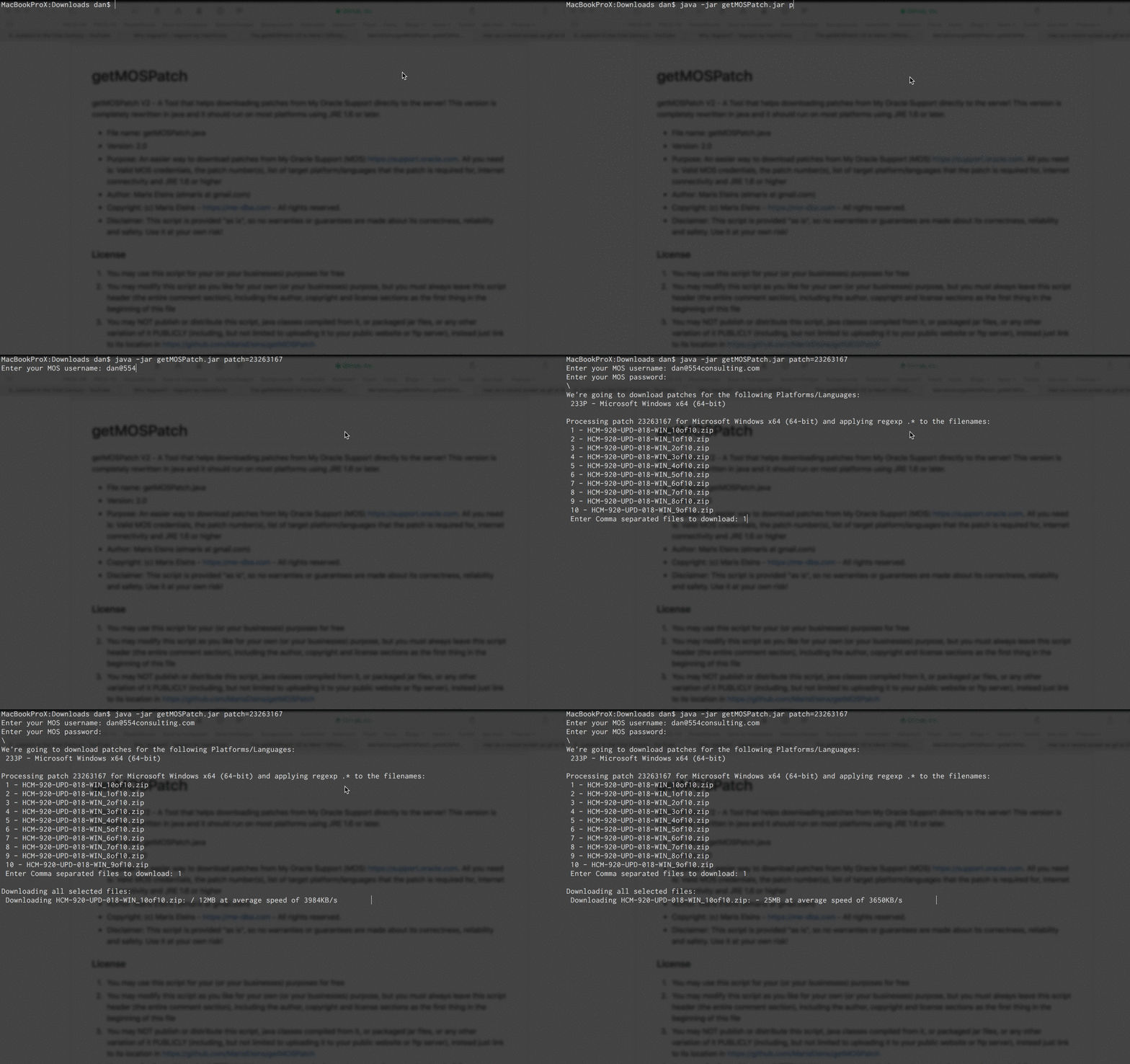
Let’s walk through a quick demo of downloading a recent PeopleSoft Image using getMOSPatch. We’ll be downloading the Windows NativeOS DPK for HR 9.2 Image 18, which is patch 23263167.
- Grab the latest version of
getMOSPatch.jarfrom GitHub. - Open a command line and navigate to where you saved
getMOSPatch.jar. - Run
java -jar getMOSPatch.jar patch=23263167patchis a required parameter. You can specify multiple patches; make thepatchvalues a comma separated list - Enter your MOS credentials after running the command.
- Select the platform you want to download the patch for.
233Pis the Windows 64-bit code, so I’m using that. The.getMOSPatch.cfgfile will store the platform you last selected when runninggetMOSPatch.jar, so you won’t be prompted every time for the platform. To reset the stored code, addreset=yesto the command line. - Next,
getMOSPatchwill present a list of files available to download for the patch. In our case, we are selecting a PeopleSoft Image patch, so there will be 10 or more files. Use a comma separated list to specifiy the files you want to download. If you want to download all the files in the patch, you can usedownload=allin the command line. getMOSPatchwill download the patches into your current directory.
Quick Download Example
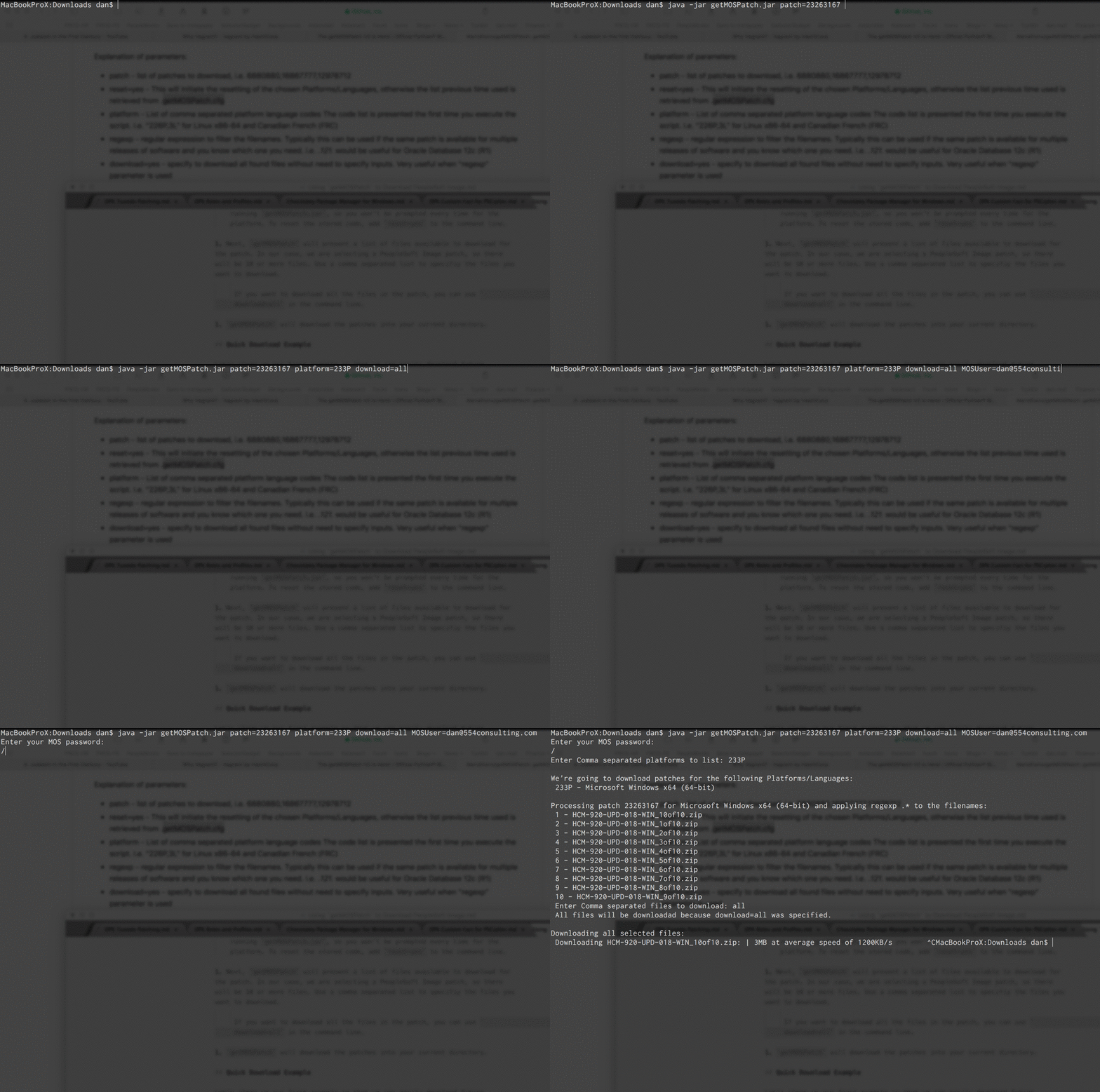
Let’s clean up our first example so that we can easily download future PeopleSoft Images using only a patch number. If you haven’t run getMOSPatch yet, run it once to identify the platform code you will use.
Next, we’ll create our command for getMOSPatch to download all the PeopleSoft Image patch files for our platform. This example will download the Windows NativeOS DPK for HR 9.2 Image 18:
java -jar getMOSPatch.jar patch=23263167 platform=233P download=all MOSUser=<email>
When I run the command, we’ll only need to enter the password for your MOS account. getMOSPatch will download all the patch files we need for the PeopleSoft Image.